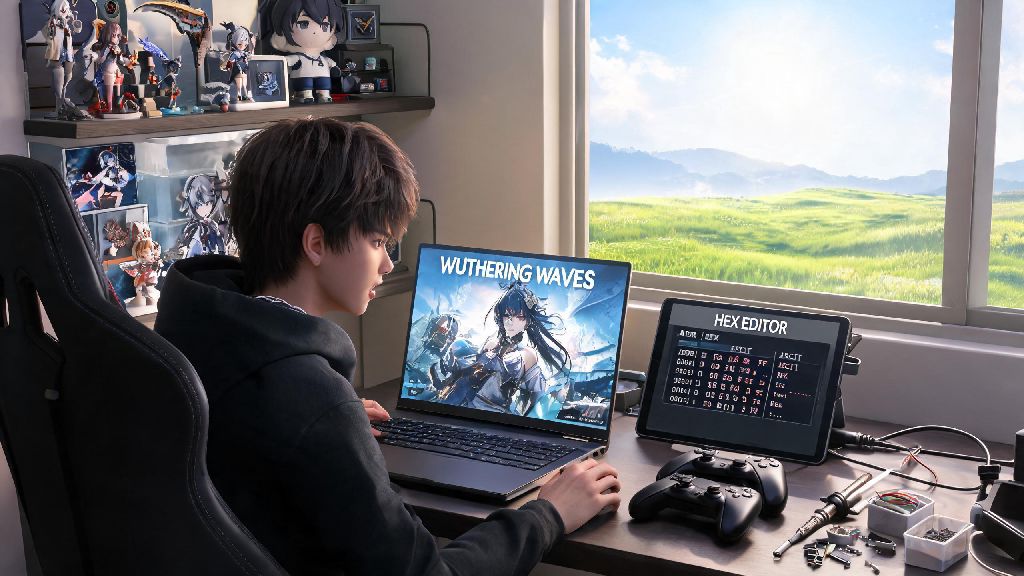
If you’ve spent dozens of hours roaming Wuthering Waves’ sunlit plains, climbing mist-shrouded mountains, and fine-tuning your Resonator’s combat build, you’ve probably wondered can you mod Wuthering Waves to make your playthrough feel more personal. Modding gacha games always walks a fine line between fun customization and risking the account you’ve poured hours (and possibly money) into, so we pulled together official policy details, community test results, and real player experiences to answer every question you might have. We’ll cover which mods are low-risk, which will get you banned immediately, and what steps to take if you want to customize your game without losing access to your progress.
Can You Mod Wuthering Waves Without Getting Banned?
The short answer is it depends on the type of mod you use, and how strictly you stick to community-vetted, low-impact customizations. Kuro Games’ official terms of service explicitly ban any mod that provides unfair competitive advantage, alters core game mechanics, bypasses paywalls, or interferes with other players’ experiences. That means any mod that unlocks premium Resonators for free, increases your damage output, or lets you skip event grind is a guaranteed way to get your account suspended, if not permanently banned.
That said, there is a gray area for cosmetic and quality-of-life mods that don’t change how the game actually plays. Thousands of PC players use these mods regularly with no reported punishments, but it’s important to note that no mod is 100% officially allowed. Kuro’s anti-cheat system runs in the background whenever the game is open, and it receives regular updates that can flag previously allowed mods without advance warning. I’ve seen players get hit with 72-hour temporary suspensions for using a UI mod that was considered safe for six months, so you always take on some level of risk when you mod any online game.
Popular Low-Risk Mods for Wuthering Waves
All of the mods listed below are widely used in the Wuthering Waves community, with very few reported ban cases stretching back to the game’s launch. They don’t edit core game files, don’t alter gameplay outcomes, and only change how the game looks or runs for you personally.
If you’re still wondering can you mod Wuthering Waves without risking a ban, sticking to this short list of vetted mod types is the safest possible approach. Even with these low-risk mods, you should never download files from random sketchy sites. Stick to trusted, well-moderated Wuthering Waves community hubs where mods are vetted by other players before they’re made available to the public. Avoid any mod that claims to have “extra hidden features” outside of the customization options listed in its description, as those often include forbidden tweaks that will get you flagged.
Key Risks to Consider Before Modding Wuthering Waves
Many new players ask can you mod Wuthering Waves with zero risk, and the honest answer is no, there’s always some level of risk when you modify a live-service online game. No matter how safe a mod seems, there are always potential downsides to modifying an online live-service game like Wuthering Waves. It’s important to weigh these risks against the small quality of life gains you’ll get from most mods before you install anything.
The biggest risk by far is account suspension or permanent ban. Kuro Games has a zero-tolerance policy for mods that violate its terms of service, and even accidental use of a forbidden mod can lead to losing access to your account permanently. There is no appeal process for most mod-related bans, so if you’ve spent hundreds of dollars or hours on your account, this risk alone might be enough to make you skip modding entirely.
Another common risk is corrupted game files. Many untested mods overwrite or modify shared game files, which can lead to frequent crashes, lost save progress, or even force you to redownload the entire 80GB game to fix the issue. I’ve had friends lose weeks of event progress because a poorly made UI mod corrupted their save file right before a limited-time event ended.
Finally, there’s the risk of malware. A huge number of sites offering “free Wuthering Waves mods” are actually distributing viruses designed to steal your game login credentials, Steam account info, or personal financial data. Any mod that claims to give you free premium currency or unlock all paid Resonators is guaranteed to be malware, no matter how legitimate the site looks.
How to Mod Wuthering Waves Safely If You Choose To
If you still want to mod the game after weighing the risks, there are steps you can take to minimize your chance of getting banned or losing progress. These tips come directly from long-time modders in the Wuthering Waves community who have used mods for months without any issues.
First, always back up your original game files and account data before installing any mod. Most mod managers let you create a full backup of your game folder in one click, so you can roll back to the original unmodded version in seconds if something goes wrong, or if a new anti-cheat update flags your existing mods.
Second, only use mods that have been available for at least two weeks and have dozens of positive reviews from other players. Newly released mods haven’t been tested by the wider community, and they might include hidden forbidden tweaks that the creator didn’t mention. If a mod only has a handful of downloads and no public reviews, skip it.
Third, never use any mods when you’re playing co-op or other multiplayer modes. Kuro’s anti-cheat system is far stricter in multiplayer, as it’s designed to prevent cheating that impacts other players. Even a harmless Reshade preset can get flagged if you use it during a co-op boss fight, so always disable all mods before you join a public lobby.
Finally, if you’re especially worried about bans, create a separate free alt account to test all mods first. Play on that account for at least a week with the mods installed to make sure you don’t get a suspension, before you install anything on your main account. This adds an extra layer of protection for the account you actually care about.
At the end of the day, the answer to can you mod Wuthering Waves comes down to what you want to change, and how much risk you’re comfortable taking. If you just want to tweak your visuals or UI to make your playthrough more comfortable, there are low-risk options that thousands of players use every day with no issues. If you’re looking for mods that give you an unfair edge or unlock paid content for free, you’re almost certainly going to lose your account sooner or later. Take your time to research any mod you’re interested in, prioritize keeping your account safe over small convenience tweaks, and you can customize your Wuthering Waves experience without the stress of unexpected bans.