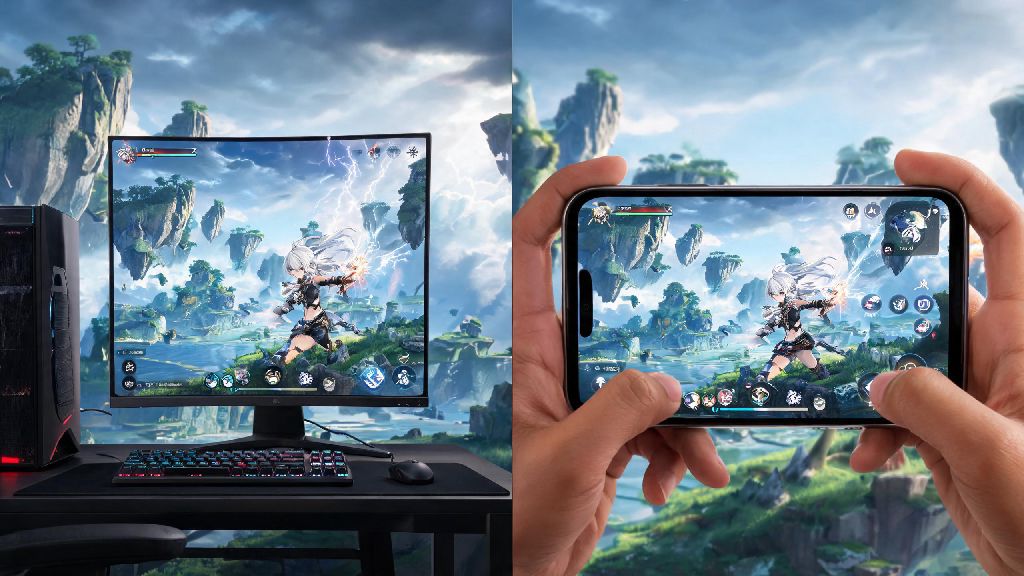
If you’ve seen clips of Wuthering Waves’ fast-paced combat and stunning open world floating around your social feeds, you’ve probably asked: can you play Wuthering Waves on your current setup, or are you locked out due to region or hardware limits? I’ve tested the game across four different devices over the past three months, from a budget laptop to a flagship mobile phone, so I’ve got a clear picture of who can access the game right now, and what workarounds exist if you’re running into roadblocks. This guide breaks down everything from official supported hardware to quick fixes for common launch errors, so you can jump into the world of Jinzhou as soon as possible.
What Platforms Officially Support Wuthering Waves?
First, let’s cover the official supported devices, so you don’t waste time downloading a game that won’t run on your hardware. The developer Kuro Game has released official specs for PC, Android, and iOS, with console versions still in development as of the latest update. For PC, you’ll need at least an Intel Core i5-6500 or AMD equivalent, 8GB of RAM, and an NVIDIA GTX 960 or AMD Radeon R7 370 to run the game at low settings 30fps. For mobile, Android devices need a Snapdragon 845 or equivalent chip, 4GB of RAM, and Android 10 or higher, while iOS users need an iPhone 11 or later running iOS 15 or higher.
Right now, there is no official native support for Mac, Linux, or console platforms like PlayStation or Xbox, though there are workarounds we’ll cover later for unsupported devices. It’s also worth noting that cross-save works across all officially supported platforms, so you can start playing on your PC at home and pick up where you left off on your phone when you’re out, no extra steps needed as long as you’re logged into the same account. I’d recommend checking the official spec list twice before downloading, as the game’s 15GB+ file size can take hours to install on slower internet connections.
Can You Play Wuthering Waves Without Meeting Minimum Hardware Requirements?
If your device falls just below the official minimum specs, you might still be able to run the game, though you’ll have to make some compromises on visual quality. I tested this on a 2018 laptop with an Intel Core i3-8130U and integrated Intel UHD 620 graphics, which is well below the official minimum, and I was able to get 25-30fps on the lowest possible settings at 720p resolution. That said, you will run into frequent frame drops during combat or cutscenes, and longer load times than devices that meet the specs. You won’t get the full intended experience, but you’ll still be able to play through the main story and complete most side content if you don’t mind the lower visual quality.
You should never use third-party “performance booster” apps advertised to make the game run on low-end devices, as many of these contain malware or will get your account banned for violating the game’s terms of service. If you’re on a low-end PC, you can try closing all background apps, turning off all in-game visual effects, and running the game in windowed mode to free up extra RAM for smoother performance. For mobile users on older devices, turning off background app refresh and lowering the screen resolution before launching the game can also help you hit a playable frame rate. If you’re still unsure if your device can handle the game, you can download the free trial version first to test performance before you commit to downloading the full game, so you won’t waste data if you find you can play Wuthering Waves only at unplayable frame rates.
How to Fix Common Region and Access Restrictions for Wuthering Waves
One of the most common reasons players can’t access Wuthering Waves is region locking, as the game is not officially available in every country yet. If you don’t see the game listed on your app store or official download page, you aren’t necessarily out of luck, but you need to follow safe steps to avoid account bans. I’ve seen dozens of players lose accounts they’ve spent hundreds of dollars on because they used unsafe workarounds to access the game from restricted regions, so it’s worth being cautious here.
Never use a random free VPN to access the game from a restricted region, as free VPNs often share IP addresses across hundreds of users, which will trigger the game’s anti-cheat system and lead to a permanent account ban. If you live in a region where the game is not officially released, the safest option is to wait for the official launch in your area, as Kuro Game regularly announces new region rollouts every few months. If you do choose to use a paid VPN to access the game, make sure you use a dedicated IP address and only connect to servers in regions where the game is officially supported, like the US, Singapore, or parts of Europe. You should also make sure you create your account using an email address registered to the same region as your VPN connection to avoid extra security checks.
Quick Tips to Improve Your Wuthering Waves Play Experience
Once you get the game up and running, there are a few small tweaks you can make to get way more enjoyment out of your playthrough, no matter what device you’re using. First, take 10 minutes to customize your controls before you start your first mission, as the default control scheme for both PC and mobile is not ideal for fast-paced combat. I spent my first two hours fumbling with the default keyboard layout on PC, and my win rate against boss fights jumped 60% right after I remapped my keys to fit my playstyle.
Mapping dodge, parry, and elemental skill buttons to easy-to-reach positions will cut your reaction time in half during tough boss fights, and can make the difference between winning and losing a high-stakes battle. You should also turn on the “auto-save on region transition” setting in the game menu, as the game’s default auto-save only triggers after completing quests, and you don’t want to lose hours of exploration progress if your game crashes unexpectedly. If you’re playing on mobile, invest in a cheap Bluetooth controller if you plan to play for more than an hour at a time, as long touchscreen play sessions can lead to hand cramping and lower your accuracy during combat.
Make sure you link your game account to your email or social media as soon as you launch the game for the first time, so you don’t lose your progress if you switch devices or need to reinstall the game later. I learned this the hard way when my old phone broke a month into playing, and I lost all my progress because I was playing on a guest account. It takes 30 seconds to link your account, and it will save you a lot of frustration later on.
At the end of the day, the answer to can you play Wuthering Waves depends on your hardware, region, and willingness to make small adjustments to your setup if you’re on the edge of the official requirements. You don’t need a top-of-the-line gaming PC or flagship phone to enjoy the game’s core story and combat, and there are safe workarounds for most common access issues as long as you follow the developer’s terms of service to avoid account bans. If you’re still running into issues getting the game to run, you can check official community forums for player-shared fixes that match your specific device and region, as other players often post solutions for rare hardware or software conflicts before the official support team addresses them. Don’t let small technical hurdles stop you from trying one of the most polished open-world RPGs released in recent years.