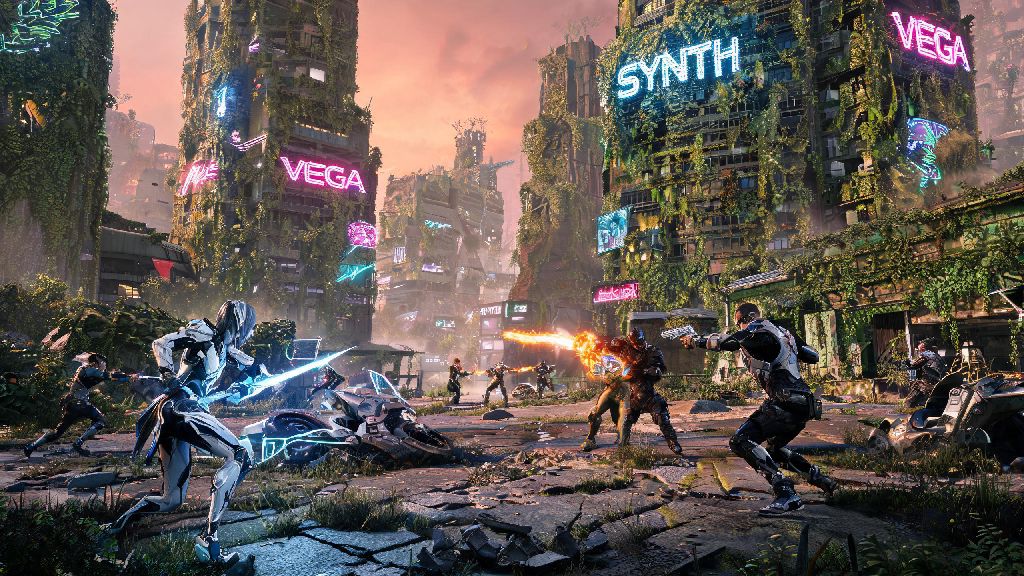
If you’re a fan of open-world gacha games with fast-paced combat and stunning visuals, you’ve probably spent hours exploring Wuthering Waves’ post-apocalyptic world already. But when you’re heading out for a commute, waiting for an appointment, or just don’t feel like sitting at your PC, you might be asking: can you play Wuthering Waves on mobile? The short answer is yes, but there are a few key details you need to know before you download the app to avoid frustration. We’ll cover everything from device compatibility to setup steps, performance tweaks, and even when it makes more sense to stick to your PC or console for gameplay.
What Are the Minimum Requirements to Play Wuthering Waves on Mobile?
Before you spend time downloading the 15GB+ game file, it’s important to check if your device meets the official minimum and recommended specs set by the developer. You don't need a flagship phone to run Wuthering Waves, but mid-range devices released in the last 3 years will give you the most consistent experience.
For Android users, the minimum requirements are a Snapdragon 855, Kirin 990, or equivalent processor, 6GB of RAM, Android 10 or higher, and at least 20GB of free storage space (to account for future updates). If you have a device with a Snapdragon 8 Gen 1 or higher, you can run the game on high settings at a steady 60FPS with no issues.
For iOS users, you’ll need an iPhone 12 or later, iPad Air 4th generation or later, iOS 16 or higher, and the same 20GB of free storage. Apple’s custom silicon is extremely efficient, so even base model iPhone 12 devices can run the game on medium settings smoothly without overheating too much.
Keep in mind that if your device falls just below these requirements, you might still be able to launch the game, but you’ll likely experience constant frame drops, crashes, or long loading times that make the experience unenjoyable.
Step-by-Step Setup to Play Wuthering Waves on Mobile
Setting up Wuthering Waves on your mobile device is straightforward, but there are a few small mistakes a lot of new players make that cost them access to their existing progress. First, always download the game directly from the official Apple App Store or Google Play Store. Avoid third-party APK sites, as these files are often modified, can contain malware, and will get your account permanently banned if the developer detects you’re using an unofficial client.
Once you find the official game page, hit download and wait for the full file to install. Don’t try to launch the game halfway through the install process, as this can corrupt the game files and force you to redownload everything from scratch.
When you launch the game for the first time, you’ll be prompted to log in. Cross-save functionality is fully supported across PC, mobile, and PS5, so you can pick up right where you left off no matter what device you use. Just make sure you log in with the same account you use on your other devices, and that you’re downloading the correct regional version of the game that matches your account’s region. For example, if you have a North American account, don’t download the European or Asian version of the app, as you won’t be able to access your progress.
After logging in, the game will run a quick performance test to auto-adjust settings to match your device. You can keep these default settings, or tweak them later to prioritize either performance or visual quality depending on your preferences.
Top Tips for Smoother Mobile Gameplay of Wuthering Waves
Even if you have a high-end flagship device, you might still run into performance issues when playing Wuthering Waves on mobile, especially during large open-world exploration or fast-paced boss fights with lots of visual effects. These simple tweaks will help you get the smoothest possible experience without sacrificing too much visual quality:
After you adjust these settings, spend 10 or 15 minutes exploring and fighting a few low-level enemies to see how the game runs. If you still notice stutters, you can turn off shadow effects and reduce the draw distance a bit more for extra performance gains.
Make sure to close all background apps before launching the game to free up extra RAM, especially if your device only has 6GB of total memory. Apps like social media, streaming services, and navigation tools run in the background and take up valuable processing power that the game needs to run smoothly.
I’ve tested these tweaks on a mid-range 2022 Android device with 8GB of RAM, and they took my average frame rate from 28FPS on default settings to a steady 45FPS, which is more than enough for casual play. I only run into minor drops during big boss fights, which is expected for a non-flagship device.
Pros and Cons of Playing Wuthering Waves on Mobile vs Other Platforms
Mobile play is a great fit for a lot of players, but it’s not the best option for every scenario. It’s worth weighing the pros and cons to decide when you should play on mobile, and when you’re better off sticking to your PC or PS5.
The biggest upside of mobile play is obviously portability. You can knock out your daily commissions, farm upgrade materials, or even progress through the main story while you’re waiting in line, on a long commute, or visiting family. You don’t have to carry a heavy laptop or be tied to a desk to keep up with your progress.
Another big plus is that the touch controls are surprisingly well optimized for most casual gameplay. The default layout puts all the important attack, dodge, and skill buttons within easy reach of your thumbs, and you can customize the layout and button size to fit your hand size and play style.
On the downside, Wuthering Waves is an extremely power-hungry game. Even on high-end flagship phones, you’ll only get 2 to 3 hours of play time on a full charge, and the device will get noticeably warm after 30 minutes of continuous play. You’ll almost certainly need to have a portable charger handy if you plan to play for longer than an hour on the go.
The smaller screen size can also be a problem for endgame content. It’s much harder to see small enemy attack tells, hidden collectibles, or text prompts on a 6-inch phone screen compared to a 27-inch PC monitor or TV. You might also miss small details in the environment that add to the game’s story and worldbuilding.
If you mostly play casually for 30 minutes to an hour at a time while out and about, mobile is a great option, but if you're tackling hard endgame content, you're better off sticking to PC or console. I personally use mobile for daily tasks and material farming, and switch to my PC for boss fights and abyss runs where precision and clear visuals matter more.
So, to circle back to the original question of can you play Wuthering Waves on mobile, the answer is a definite yes for almost anyone with a relatively new iOS or Android device. You don’t have to spend a ton of money on a flagship phone to enjoy the game, and the cross-save functionality means you never have to pause your progress when you leave the house.
Just make sure you check your device meets the minimum requirements before you download, stick to official app stores to avoid account bans, and spend a few minutes tweaking your settings to get the best balance of performance and visual quality for your device. If you’re still unsure if it will work for you, you have nothing to lose by testing it out – the game is completely free to download and play, so you can see how it runs on your device without spending any money.