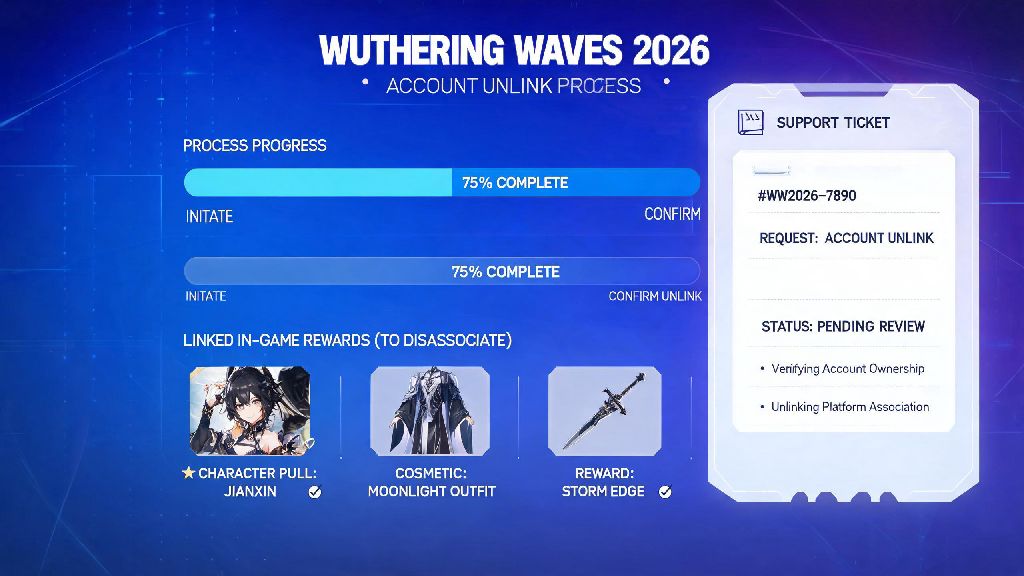
If you’ve ever switched email providers, wanted to separate your gaming accounts from personal credentials, or move your Wuthering Waves progress to a different platform in 2026, you’ve probably wondered how to unlink Wuthering Waves account from your existing login without losing months of hard-earned pulls, limited event characters, and exclusive cosmetic rewards. I recently went through this process myself when I switched from a shared family Google account to a separate gaming email for all my gacha titles, and I was shocked by how many outdated guides online gave bad advice that risked permanent account bans. This guide breaks down every official, safe method you can use, plus red flags to avoid so you don’t lose access to your roster entirely.
How to Unlink Wuthering Waves Account via Official 2026 Support Channels
The only 100% safe, TOS-compliant way to unlink your account is through official Kuro Games support channels, as of their 2026 account policy update. Any other method you find online carries a high risk of data loss or permanent bans, so it’s not worth cutting corners to save a few days of wait time. To start the process, first log into the official Wuthering Waves website with the account you want to unlink, then navigate to the “Account Support” tab in your user settings.
From there, select the “Unlink Account” request form, and fill out all required fields as accurately as possible. You’ll need to provide your in-game UID, server, account creation date, and answer a few security questions about your account activity, like your first 5-star pull or most recent top-up amount. You can only submit an unlink request once every 180 days under the 2026 policy, so double check all your information before hitting submit to avoid wasting your request.
Once you submit the form, you’ll get a confirmation email with a ticket number you can use to track your request. Support response time is usually 3 to 7 business days for account-related requests, so don’t panic if you don’t get an answer right away. If you haven’t heard back after 10 days, you can reply to the confirmation email to follow up, just make sure you include your original ticket number in the subject line.
Pre-Unlink Checks to Avoid Permanent Data Loss in 2026
Before you submit your unlink request, there are a few critical steps you need to take to make sure your request is approved quickly and you don’t lose access to your progress. I skipped one of these steps when I submitted my first request last month, and it delayed my approval by almost two weeks, so don’t make the same mistake I did.
It’s also a good idea to log out of your account on all devices before submitting your request, to avoid any conflicting activity that might flag your account as suspicious. If your account is currently banned or under review, you won’t be eligible for an unlink until the issue is resolved, so make sure you don’t have any open reports against your account before you start the process.
Common Unlink Mistakes That Get Wuthering Waves Accounts Banned
Plenty of players try to take shortcuts with the unlink process, and a lot of them end up losing their accounts entirely because they violate Kuro Games’ terms of service. I saw a user on the official 2026 Wuthering Waves Discord lose their 2-year-old account with every limited 5-star character just because they tried to use a cheap third-party unlink service, so it’s important to know what mistakes to avoid.
First, never use third-party unlink tools or services that claim to unlink your account in 24 hours or less. All of these services are scams that steal your account credentials, and Kuro Games automatically bans any account that interacts with these tools as of 2026. You also shouldn’t lie about your account ownership when filling out the support form, like submitting fake purchase receipts or claiming you created the account when you actually bought it from someone else. Account trading violates Wuthering Waves’ 2026 terms of service, so unlink requests for purchased accounts are almost always denied, and you could get a permanent ban for trying.
Another common mistake is trying to unlink your account when you have pending purchases or active subscription rewards on your linked platform account. If you have an active Welkin Moon pass or unclaimed top-up bonuses on your current linked account, wait until those are fully claimed and processed before submitting your unlink request, otherwise the process will fail and you’ll have to wait another 180 days to try again.
What to Do After Your Wuthering Waves Account is Unlinked
Once you get the approval email from support confirming your account is unlinked, you don’t have much time to complete the process, so don’t put it off. You have exactly 72 hours from the time the email is sent to link your account to your new credentials, otherwise the unlink is reversed and you’ll have to submit a new request and wait another week or more for approval.
To link your account to your new email or platform, just follow the link in the approval email, log into your new account, and confirm the link. Enable two-factor authentication on your new linked account immediately to prevent unauthorized access, especially if you were unlinking your account because your old login was compromised. Once the link is active, log into the game right away to confirm all your progress, characters, items, and in-game currency are still there. If anything is missing, reply to your original support ticket right away with screenshots of your missing items, and they’ll restore them for you.
If you were unlinking your account to give it to a friend or family member, make sure you give them all the original account ownership details, like the creation date and first purchase receipt, in case they ever need to submit a support request of their own. Just remember that even after unlinking, Kuro Games still keeps records of the original account owner, so you’re still responsible for any activity on the account if it’s used to violate terms of service.
Learning how to unlink Wuthering Waves account safely in 2026 doesn’t have to be a stressful process, as long as you stick to official support channels and do your pre-checks before submitting a request. Don’t fall for fast, cheap unlink services online, and always keep proof of your account ownership on hand to speed up the approval process. If you run into any snags along the way, you can always reach out to official community moderators for extra guidance, just make sure you never share your account password with anyone, even if they claim to be a member of the support team.