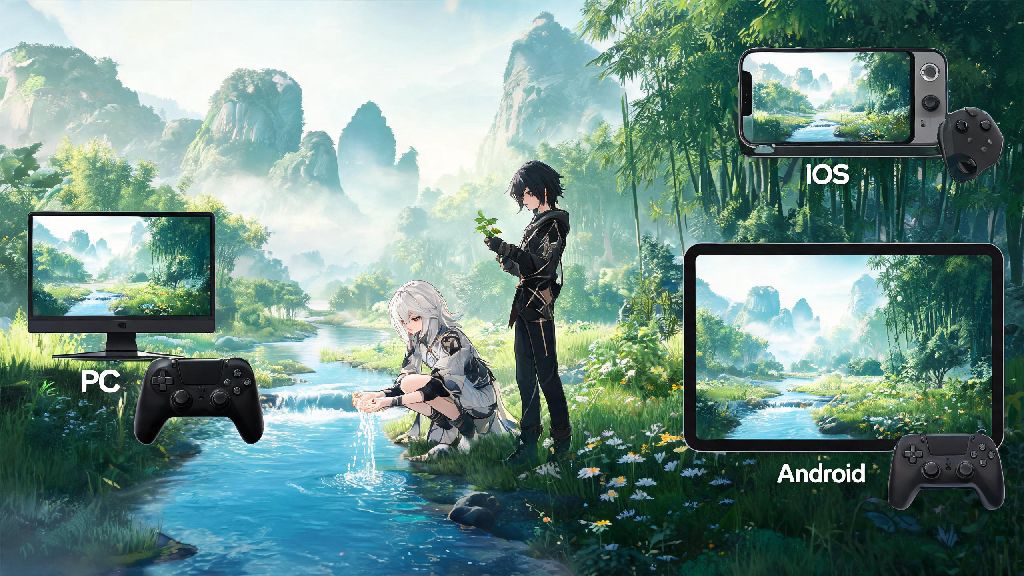
If you’ve ever sunk 3+ hours into exploring an open-world gacha game, you know how quickly touch controls or hunching over a keyboard can leave your hands sore. A ton of players ask can you play Wuthering Waves on controller, especially if you prefer the laidback, relaxed feel of a gamepad while wandering the lush landscapes of Jinzhou. We tested controller support across PC, iOS, Android, and cloud streaming platforms to break down exactly what works, how to set it up, and what common issues you might run into so you don’t waste hours troubleshooting.
Can You Play Wuthering Waves on Controller Across All Platforms?
The short answer is yes, Wuthering Waves has native controller support for most popular platforms, no third-party mods or workarounds required for standard setups. Developer Kuro Games rolled out full official controller support shortly after the game’s global launch, responding to fan requests for more flexible input options. Support extends to PC, iOS 15+, Android 10+, and PS5 versions of the game, with automatic detection for most popular controller models. That means you don't have to mess with external keymapper apps or custom config files to get your controller working, unless you're using a very niche third-party model. Switch support is not available yet, though some players have reported limited success using controller adapters with cloud streaming versions of the game, but these setups are not officially supported and may run into performance issues.
Step-by-Step Controller Setup for Wuthering Waves
Once you confirm you can play Wuthering Waves on controller, the setup process takes less than two minutes for most devices. First, let’s cover the full list of officially supported controllers to make sure your device will work out of the box:
For PC setup, first pair your controller via Bluetooth or plug it in with a USB cable, then launch Wuthering Waves. Open the Settings menu, navigate to the Controls tab, and select Controller as your primary input method. You can adjust analog stick sensitivity, dead zones, and button mapping from the same menu to match your playstyle. For mobile, pair your controller via Bluetooth first, then open the game, which will automatically detect the controller and prompt you to switch input methods. You don't need to enable any accessibility settings or download third-party apps for most supported controllers, which cuts down on setup time drastically.
Pros and Cons of Using a Controller for Wuthering Waves
If you can play Wuthering Waves on controller, you'll notice immediately how much more comfortable long exploration sessions feel, but it’s not the perfect fit for every playstyle. Let’s break down the biggest advantages and downsides to help you decide if it’s worth switching from mouse and keyboard or touch controls.
On the plus side, controllers make open-world exploration far more relaxed. You can lean back on your couch instead of hunching over a desk, and analog sticks make smooth, flowing movement far easier than WASD keys for climbing, gliding, and navigating tight spaces. Combat also feels more intuitive for most players, as shoulder buttons are easier to press repeatedly for dodging, parrying, and casting skills without straining your fingers. If you stream your PC gameplay to a TV, using a controller lets you play from anywhere in the room without needing to set up a wireless keyboard and mouse.
There are a few notable downsides to keep in mind, though. Precision for aiming long-range characters like Jiyan is significantly worse on controller compared to a mouse, so if you main a sniper or bow user, you may struggle to hit fast-moving boss weak points. Menu navigation is also noticeably slower on controller, especially when you’re sorting through dozens of inventory items, upgrading characters, or adjusting build sets. I main a long-range character, so I usually switch between controller for open-world exploration and mouse for boss fights and inventory management, which gives me the best of both worlds.
How to Fix Common Controller Issues in Wuthering Waves
Even with native support, you might run into minor issues when setting up your controller, but most have simple, fast fixes that don’t require any technical expertise. The most common issue users report is the game not detecting their controller at all. If this happens, first close and restart the game, and make sure your controller is not paired to any other nearby device like a phone or console. If you’re on PC, check that your controller drivers are up to date, and manually select Controller as your input method in the settings menu instead of relying on auto-detection.
Another frequent issue is wrong button prompts, like seeing Xbox button icons when you’re using a PlayStation controller. This is an easy fix: go to the Controls tab in settings, and select your specific controller type from the dropdown menu, which will automatically swap the prompts to match your device. You don't need to mod the game to get correct PlayStation button prompts anymore, Kuro added full official support for PS controller icons in a post-launch update.
If you’re experiencing input lag or delayed button presses, the issue is almost always related to Bluetooth connectivity. First, plug your controller in with a USB cable to see if the lag goes away, which will tell you if the problem is a weak Bluetooth signal or low controller battery. If you’re playing on mobile, disconnect any other Bluetooth devices that are paired to your phone or tablet, as these can cause signal interference that leads to input lag. For minor analog stick drift that makes your character move on their own, you can adjust the controller dead zone in the settings menu to ignore small, unintended stick movements.
So if you’ve been wondering can you play Wuthering Waves on controller, the answer is a resounding yes, with native support across most major platforms and very few setup hurdles to jump through. Whether you prefer the relaxed feel of a controller for casual exploration or you just want to play from your couch without being tied to a desk, it’s a great option that works well for most playstyles. Just keep in mind the minor downsides for long-range characters and menu navigation, and don’t be afraid to switch between input methods depending on what you’re doing in the game. If you run into any issues, the simple fixes we listed above will solve 99% of common problems so you can get back to exploring Jinzhou and taking down bosses as soon as possible.