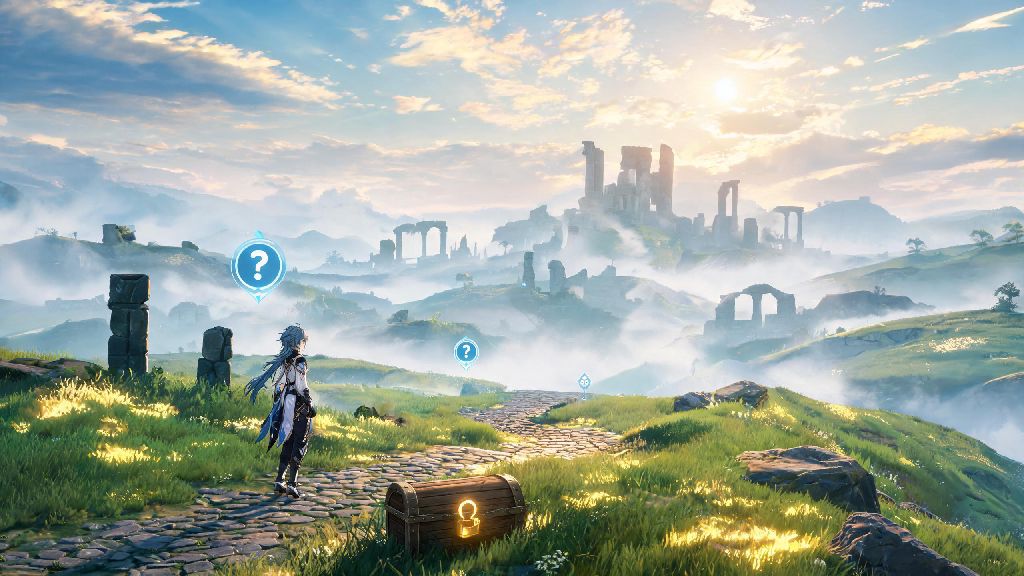
If you've spent hours roaming Wuthering Waves' sun-dappled plains and mist-shrouded ruins, you've probably stumbled on a quest that stuck with you long after you turned in the final reward. Maybe it was a quiet side story about a local artist grieving their lost partner, or a main story plot twist that left you staring at your screen in shock. It makes total sense if you've wondered can you replay quests in Wuthering Waves to relive that moment, or grab a small reward you accidentally skipped while rushing through combat. I've spent dozens of hours testing every possible trick for this exact question, so I'm breaking down everything you need to know below.
Can You Replay Quests in Wuthering Waves Directly Through In-Game Menus?
The short, straightforward answer is no, right now there is no built-in feature that lets you replay completed quests straight from your quest log or main menu. This applies to all quest types: main story missions, side quests, character companion quests, and limited-time event quests. When I first went looking for a quest replay option last month, I clicked through every submenu of the quest log, checked the settings tab, and even asked in the official Discord server to make sure I wasn't missing something. The response from long-time players was unanimous: there's no hidden replay button tucked away anywhere right now.
That doesn't mean Kuro Games will never add the feature, though. Quest replay is one of the most frequently requested quality of life updates in official community forums, and the dev team has already rolled out several other popular player requests in past patches, like expanded inventory space and faster fast travel load times. You won't lose access to quest-related rewards if you don't replay a mission, though — any items, ascension materials, or in-game currency you earned the first time you completed the quest stays in your inventory permanently. You also don't have to worry about missing core story context for future updates even if you can't replay old quests, since the game provides recaps for major story beats before new chapter drops.
Workarounds to Relive Your Favorite Wuthering Waves Quest Moments
Even if you can't hit a "replay" button to run through a full quest again, there are a few solid workarounds that let you revisit key moments without having to wipe your main account's progress. I've tested all of these myself, and they work for almost every use case players usually have for quest replay:
I've used the Gallery cutscene replay more times than I can count, especially after the big plot twist in the second chapter of the main story. It's perfect for catching small foreshadowing details I missed when I was focused on dodging enemy attacks the first time through. The alt account trick is also great if you want to stream a playthrough for friends or try out a different team composition early in the game without resetting your main account's progress and losing all your rare characters and weapons.
What to Do If You Missed a Reward During a Wuthering Waves Quest
A lot of players ask about quest replay specifically because they missed a chest, hidden reward, or optional dialogue bonus while rushing through a quest to hit the next story beat. First, don't panic — most non-story rewards are still accessible even after you finish the quest. For hidden chests or collectibles tied to a quest area, you can almost always return to the location and pick them up later, even if the quest marker is gone from your map. The only exception is limited-time event quest rewards, which expire once the event ends, so you do need to grab those while the event is active.
If you missed a dialogue-specific reward, like a bonus item for picking a certain conversation option, your only option right now is to replay that section on an alt account if you really want to get it. But these dialogue rewards are almost always small, like a few hundred in-game currency or a common crafting material, so it's rarely worth restarting your main account over. I once missed a rare weapon upgrade material during a side quest last month, and I just headed back to the quest spot a week later and found it sitting on a table right where the NPC had been standing during the mission, so that trick works almost every time. If you're still having trouble finding a missed reward, you can search for the quest name in community forums to see exactly where the item is located.
Why the Wuthering Waves Community Is Pushing For Built-In Quest Replay
It's not just about reliving cool story moments or grabbing missed rewards. There are a lot of practical reasons the community is pushing so hard for a native quest replay feature to be added to the game. For one, new character and weapon releases often tie back to earlier quest lore, so being able to replay those quests gives you more context for new character backstories when they drop. It also helps new players catch up on event quest lore they missed if they joined the game after an event ended, since most limited-time event quests are not added to the permanent quest log after the event finishes.
A lot of other popular open world gacha games already have built-in quest replay features, so it feels like a natural quality of life addition for Wuthering Waves down the line. I've also seen a lot of content creators ask for the feature, so they can make walkthroughs and lore videos without having to record on alt accounts every time they want to reference an old quest. That said, it's important to be patient — the dev team prioritizes bug fixes and new content drops first, so it might be a few patches before we see quest replay added officially.
At the end of the day, if you're asking can you replay quests in Wuthering Waves directly, the short answer is not yet, but you have plenty of workarounds to get almost the same experience right now. Whether you're re-watching your favorite cutscenes from the Gallery, exploring old quest spots for hidden lore, or setting up an alt for a full fresh playthrough, you don't have to say goodbye to your favorite quest moments forever. Keep an eye on official patch notes for updates, since the dev team has shown they listen closely to community feedback for new quality of life features.