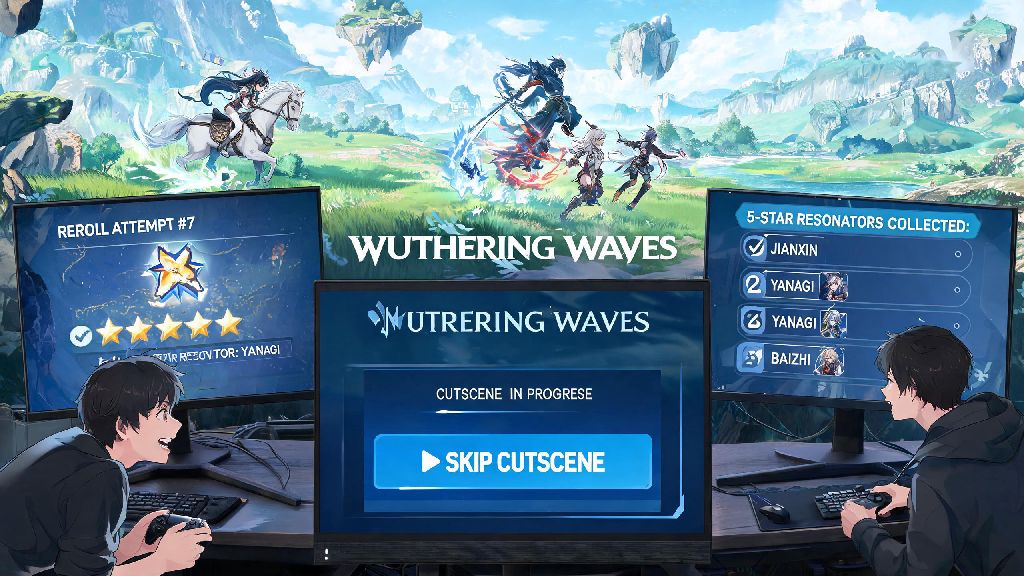
If you’ve already spent dozens of hours exploring Jinzhou, grinding for 5-star Resonators, or replaying boss fights to get perfect drop rolls, you’ve probably wondered can you skip cutscenes in Wuthering Waves at some point. Many players jump into the open world gacha for its fast, fluid combat and stunning open-world exploration, but long, repeated story scenes can slow down your progress when you’re rerolling accounts or replaying side content on alternate profiles. I’ve tested every possible method across PC, mobile, and console versions of the game to pull together all the answers you need, no vague guesswork or outdated info included.
Can You Skip Cutscenes in Wuthering Waves? Official Rules First
The short answer is yes, but only for certain types of content, and only if you meet specific requirements set by the devs. As of the latest game version, most post-prologue side quest cutscenes and repeat story content is skippable, but main story opening scenes, character story unlock cutscenes, and limited-time event opening cutscenes are usually unskippable on first watch. I noticed that the first time you play through any main story arc, you can’t skip the first 10 minutes of cutscenes even if you’ve seen them on another account, because the game ties some core tutorial prompts to those scenes. You can only trigger the skip prompt if you have already watched the cutscene once on the same active account, in most cases. Once you’ve completed the arc once on your profile, subsequent replays (if you rewatch story content from the archive) let you skip most parts immediately.
Step-by-Step Ways to Skip Cutscenes When Available
The skip function works a little differently depending on what platform you’re playing on, so it’s easy to miss if you don’t know the right input. For PC players, press and hold the Esc key for 2 full seconds, and a pop-up will appear asking if you want to skip the current scene, then just click confirm to jump straight to gameplay. For mobile players, tap and hold the top right corner of your screen for 2 seconds, then tap the skip button that pops up in the same corner. For console players, hold down the B button (Xbox) or Circle button (PlayStation) until the skip prompt loads on your screen. I used to press Esc over and over when I first started playing, thinking the game was just being slow, until I realized the hold function is intentional to stop players from skipping cutscenes by accident mid-play. Never tap the skip prompt repeatedly if it doesn’t load immediately, as this can cause the game to crash mid-cutscene, especially on lower-end mobile devices. If you’re still not sure if you can skip cutscenes in Wuthering Waves for a specific piece of content, keep an eye out for the small white skip icon in the top right corner of your screen – if it’s there, the cutscene is eligible to be skipped.
Common Reasons You Can’t Skip a Wuthering Waves Cutscene
Even if you know you’ve watched a scene before, there are a few common issues that block the skip function from working. I’ve run into all of these myself while rerolling accounts for limited banner characters, so I know how frustrating they can be when you’re in a hurry. The good news is most of these issues are either expected, or have a simple fix you can try in 30 seconds or less.
If you run into an unskippable cutscene that you know you’ve watched before, the first thing to try is closing and restarting the game. Most of the time, this is just a small temporary bug that fixes itself with a quick reboot. Restarting the game usually fixes the bug and unlocks the skip function immediately for eligible cutscenes. If it’s a limited-time event cutscene, you just have to wait it out, but most event cutscenes are only 1-2 minutes long, so it’s rarely a huge hassle.
Should You Skip Cutscenes in Wuthering Waves? Pros and Cons to Consider
A lot of players default to skipping every cutscene to get to gameplay faster, but there are actually some good reasons to watch them at least once on your main account. First, the pros of watching cutscenes: you get free rewards for watching certain main story cutscenes, including Aurora (the game’s premium currency), weapon and Resonator upgrade materials, and even exclusive profile icons and name cards. Also, the story of Wuthering Waves is surprisingly well-written, with deep backstories for each Resonator that make you care more about the characters you’re grinding to pull for. The devs also hide small lore hints in cutscenes that can clue you in to upcoming event content and even hidden chest locations around the open world, so you might miss out on small extra rewards if you skip everything. The biggest con of watching cutscenes is that if you’re rerolling for a specific 5-star character, watching every prologue cutscene can add 15+ minutes to each reroll attempt, which adds up fast if you do 10+ rerolls. Also, if you’re just logging in to do your 10 minutes of daily tasks, unskippable event cutscenes can eat into your limited playtime. If you want to get the full experience of the game, it’s worth watching all main story cutscenes once on your main account. There’s no right or wrong choice when it comes to whether you should skip cutscenes in Wuthering Waves, it all depends on your personal playstyle. You can always rewatch any cutscene you skipped later from the in-game story archive, so you don’t have to worry about missing content permanently.
At the end of the day, the answer to can you skip cutscenes in Wuthering Waves depends on what type of content you’re playing and whether you’ve watched the scene before on your current account. You won’t be able to skip every single cutscene right away, but once you’ve progressed through the prologue, most repeat content will let you skip through to get back to exploration and combat faster. Don’t be afraid to skip scenes if you’re short on time, but give the main story a chance when you have a longer play session – you might be surprised by how much you enjoy the world and characters the devs have built.